

Log a sip.
Lift Sipling up.
One tap for a glass, or pour your own amount. Set a daily goal that fits you and get gentle reminders through the day.

Sipling pairs a simple water tracker with a little companion who lights up every time you sip. Log a glass, keep your streak, and cheer on friends doing the same.
Most trackers give you a blue bar. Sipling gives you someone to show up for.
One tap for a glass, or pour your own amount. Set a daily goal that fits you and get gentle reminders through the day.
Small daily goals keep the habit moving, and every one pays out.

Raincoats, star pyjamas, woodland knits. Your companion, your style.


Some outfits require Sipling Plus.
Spend Sip Gems on beds, rugs, windows and more, and build a home that feels like yours.

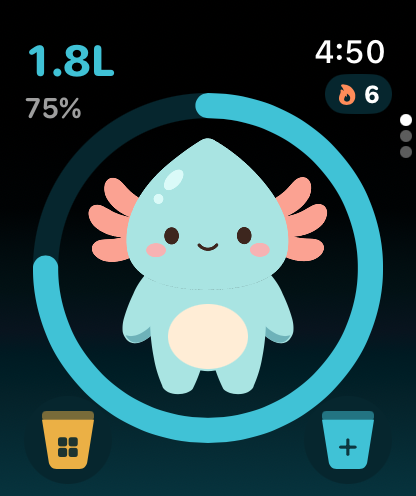
See today’s progress on your Home Screen and log water straight from your wrist.
Apple Watch requires Sipling Plus and a paired iPhone. Other drink types in widgets require Sipling Plus.



Habits stick when someone notices. Bring your people into your lagoon and keep each other sipping.
Everyone you add shows up in your lagoon. Tap a friend to visit their home.
One tap to cheer someone on when they’re close to their goal.
See your friends’ goal streaks next to yours, and take on Buddy challenges as a team.
Pick an egg and meet the little friend who’ll keep you company.
Choose a daily target and reminder times that match your routine.
Log water through the day, finish quests, and earn Sip Gems for your home.
Looking for a water drinking app you can share with friends? Compare social hydration apps with friend streaks, challenges and leaderboards.
· 2 min readWant your friends, partner or family to drink more water? Gentle, practical ways to encourage better hydration without being annoying.
· 2 min readFun hydration challenge ideas for groups: couples, roommates, families and office teams. Simple rules, no spreadsheets, and ways to keep it going.
· 2 min readStill curious? Visit support.
Yes. Water logging, your daily goal, reminders, streaks, quests and your Sipling are free. Optional Sipling Plus adds other drinks like coffee and tea, custom drinks, the Apple Watch app, extra outfits and a second reward track.
It depends on your body, activity and climate. Many adults land somewhere around 2 to 3 litres of fluids a day. Sipling lets you set and adjust your own goal. It is a wellness app, not medical advice.
Yes, Sipling is built for it. Add friends with a code, see their Siplings in your lagoon, visit their homes, send a Good Vibe, and keep water goal streaks going together.
Yes. With Sipling Plus and a paired iPhone you can log water and check your goal from your wrist. Home Screen widgets show your progress at a glance.
Not currently. Your hydration history lives in Sipling.
Free to download. Your first glass is one tap away.
Download on theApp Store